Animate your text
and your video with AI.
Turn your footage into ready-to-share videos with AI. Ask for cuts, titles, and animation, then fine-tune the result in your timeline.
Two ways to start
Start from what you already have.
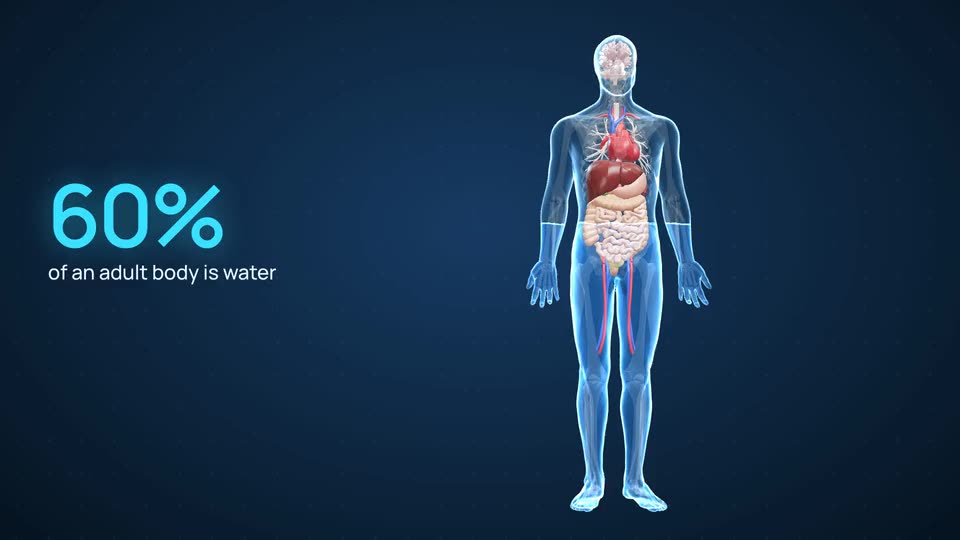
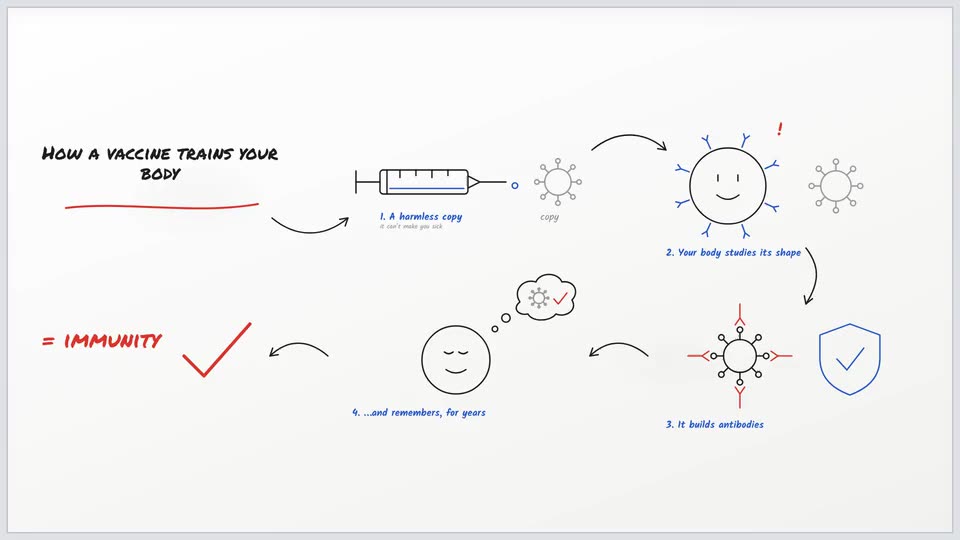
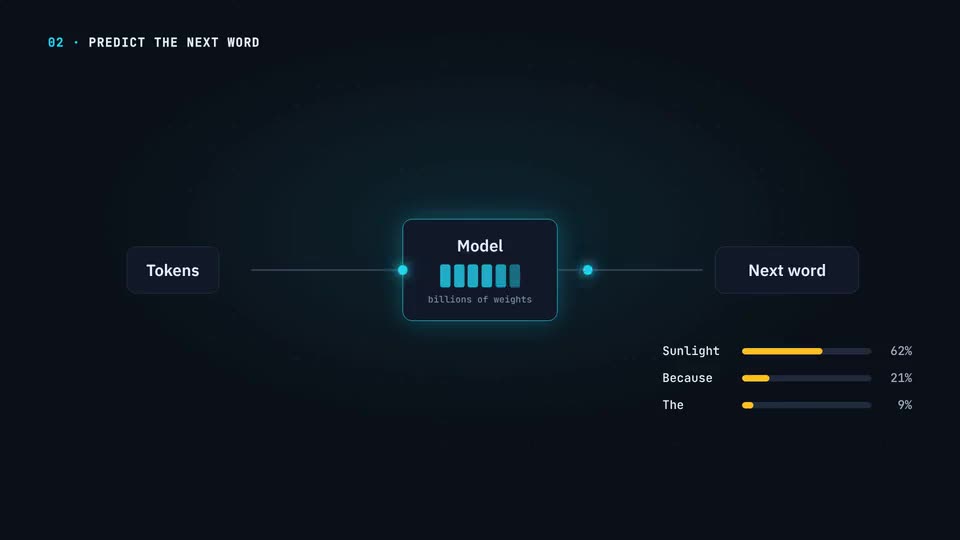
Create a video
From text, a document or your voice. The AI director animates every idea as the voice says it.
See how it works BeforeAfter
Edit your video
Upload your clips. The AI editor keeps your best takes, cuts the pauses, and adds motion graphics, replays and camera moves.
See the editorYou stay the teacher
Your voice, your screen, your course.
Record it yourself, or pick a pro voice
Why it exists
I built this for my own Skool course.
Turning every lesson into a video worth watching was the slow part. So I built the tool that does it: my notes go in, an animated lesson comes out.
Animation styles
A style for every lesson.
A real 3D body, whiteboard drawings, animated charts, motion graphics: each style has its own motion, layouts and artwork, not just its own colours.
Not sure? Auto reads your lesson and picks the style for you.
Pricing
Simple plans. Credits never expire.
- Credits roll over, never expire
- Every voice in the library
- Export to MP4
- Credits roll over, never expire
- Every voice in the library
- Export to MP4
- Top up any time at pack prices
- Your brand kits: colours, logo, font
- Your own pictures in the video
- Credits roll over, never expire
- Every voice in the library
- Export to MP4
- Best top-up pricing
- Your brand kits: colours, logo, font
- Your own pictures in the video
Minutes depend on the style. Pictures are the costly part, so type-led styles play longer on the same credits. On Creator: Doodle 12 min · Interface or 3D Body 14 min.
Start free. 300 credits on sign-up, enough to make a short video and see it. No card. Credits never expire.
FAQ
Questions, answered.
What is Clipteach?
An AI animated video maker for course creators. Paste a lesson, your notes or a finished script, and an AI director turns it into a narrated, animated explainer video in 1080p: every idea drawn, charted or typed on screen as the voice says it.
How does Clipteach turn a script into an animated video?
The narration comes first: a pro voice reads your text, or you upload your own recording, and every word gets its time. Then the AI director plans each scene (what appears, where, and how it moves) and times every entrance to the word it belongs to. Pictures are generated in your style’s own look. You never set a keyframe or fill in a template.
Do I need animation or video editing skills?
No. The first cut is made for you, scene by scene. To change something, redo a scene, change its words, add a pause or swap a picture on the timeline, or describe the change to the assistant and approve its plan.
Can I add my own screen recordings, voice and pictures?
Yes. Screen recordings play inside the video: Auto leaves room for them in a tool walkthrough, and a [SCREEN] note in your script marks exactly where one goes. Upload your own narration or pick a pro voice. Put your pictures and logo in your Library and the director places them where your script mentions them.
Which animation styles can I choose?
3D Body (3D anatomy animation), Doodle (whiteboard animation), Interface (UI motion graphics and animated charts). Each has its own motion, layouts and kind of picture, not just its own colours. Auto reads your lesson and picks one for you.
How is it different from AI avatar and stock footage tools?
There is no presenter avatar and no stock footage, and you never fill in a template: every scene is drawn, animated or generated for what your lesson says, in the style you picked, with your own recordings and pictures wherever you add them. You stay the teacher: your script, your voice, your edits.
Where can I use the videos?
Anywhere that takes video. You download a 1080p MP4 and upload it to Skool, Kajabi, Teachable, Thinkific, YouTube or your own site. Make it wide (16:9) for your course, or vertical (9:16) for Reels, Shorts and TikTok.
Can I try it free? What does it cost?
Yes. You get 300 free credits when you sign up, with no card: enough to make a short first video. Plans start at $19 a month (Starter); Creator is $49 and Studio is $149. Credits never expire.
Your next lesson is already written.
Paste it. Watch it come alive.